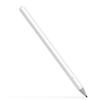
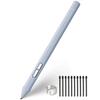
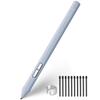
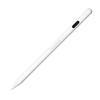
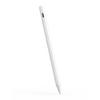
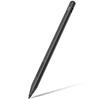
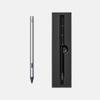
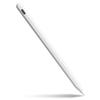
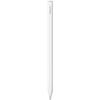
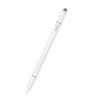
【Compatible Models】This stylus pen is compatible with ALLDOCUBE Ultra Pad / iWork GT Ultra / iPlay 70 Max Pro. It is not compatible with other series. Please check compatibility before ordering.
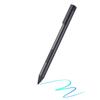
【4096 Levels of Pressure Sensitivity】With 4096 levels of pressure sensitivity, this highly sensitive and powerful stylus pen allows you to vary the thickness and shading of your lines depending on the pressure you apply when drawing or writing. It features a pencil-like design with a centrally located center of gravity for stability.
【Compatible with Multiple Writing and Drawing Software】Compatible with various writing and drawing applications such as WPS, iNotes, Ibis Paint X, and Krita. With this stylus pen, inspiration is at your fingertips anytime, anywhere. Create notes, add comments to PDF files, insert photos into notes, capture ideas, and more. Maximize your tablet's productivity by utilizing applications such as Jnote, Microsoft OneNote, and Notes.
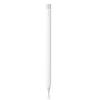
【How to Use】For first-time use, the stylus pen needs to be activated by charging before it can be used normally. The Type-C charging port is hidden and located on the top of the pen. Pulling out the pen cap reveals the charging port. There are two buttons on the bottom of the stylus pen. The function of these buttons varies depending on the drawing app used, but they are generally assigned functions such as "Return to Home Screen," "Return to Previous Screen," "Select Area," and "Erase." After 5 minutes of inactivity, the stylus automatically enters sleep mode and will resume use simply by moving the pen. If not used for an extended period, it is recommended to charge it once a month.
【Quick Charge, Long Usage Time】The stylus can be fully charged in just 1 hour, and after a full charge, it provides over 95 hours of use, significantly reducing the hassle of frequent charging. It can be used with confidence in any situation, such as long work sessions on the go or recording while traveling. The bottom of the stylus pen features an indicator light to show the battery status. A blinking blue light means "charging," a constantly lit blue light means "charging complete," and a blinking red light means "low battery." Simply by looking at the light status, you can instantly know when charging is needed and when charging is complete, making it easier to plan when to use the stylus.
![[ALLDOCUBE Official Store] ALLDOCUBE Ultra Pad/iWork GT Ultra/iPlay 70 Max Pro Compatible Dedicated Stylus Pen, 4096 Levels of Pressure Sensitivity, H](https://img.joomcdn.net/3b8d61758f9cfa0ee09b9553dbf33290eede33c8_1024_1024.jpeg)
![[ALLDOCUBE Official Store] ALLDOCUBE Ultra Pad/iWork GT Ultra/iPlay 70 Max Pro Compatible Dedicated Stylus Pen, 4096 Levels of Pressure Sensitivity, H](https://img.joomcdn.net/9544cbfd183609a97206f33d37c2fa204d2760eb_1024_1024.jpeg)
![[ALLDOCUBE Official Store] ALLDOCUBE Ultra Pad/iWork GT Ultra/iPlay 70 Max Pro Compatible Dedicated Stylus Pen, 4096 Levels of Pressure Sensitivity, H](https://img.joomcdn.net/29ef052e78f65f59126ee94384923caf597d588d_1024_1024.jpeg)
![[ALLDOCUBE Official Store] ALLDOCUBE Ultra Pad/iWork GT Ultra/iPlay 70 Max Pro Compatible Dedicated Stylus Pen, 4096 Levels of Pressure Sensitivity, H](https://img.joomcdn.net/bc260dc7afb074f0660def618c3040b0f9fd5efa_1024_1024.jpeg)
![[ALLDOCUBE Official Store] ALLDOCUBE Ultra Pad/iWork GT Ultra/iPlay 70 Max Pro Compatible Dedicated Stylus Pen, 4096 Levels of Pressure Sensitivity, H](https://img.joomcdn.net/eb1aeee5957cc4273cc719c93dcc463dd2837a7e_1024_1024.jpeg)


 Vrácení peněz při nedoručení